Sync Credentials
To get started, go to the Ditto portal:
Create a Ditto account and then log in. (See Setting Up Account)
Set up a new app in the portal. (See Creating New App)
Obtain your sync credentials for peer-to-peer authentication. (See Getting Credentials)
Setting Up Account
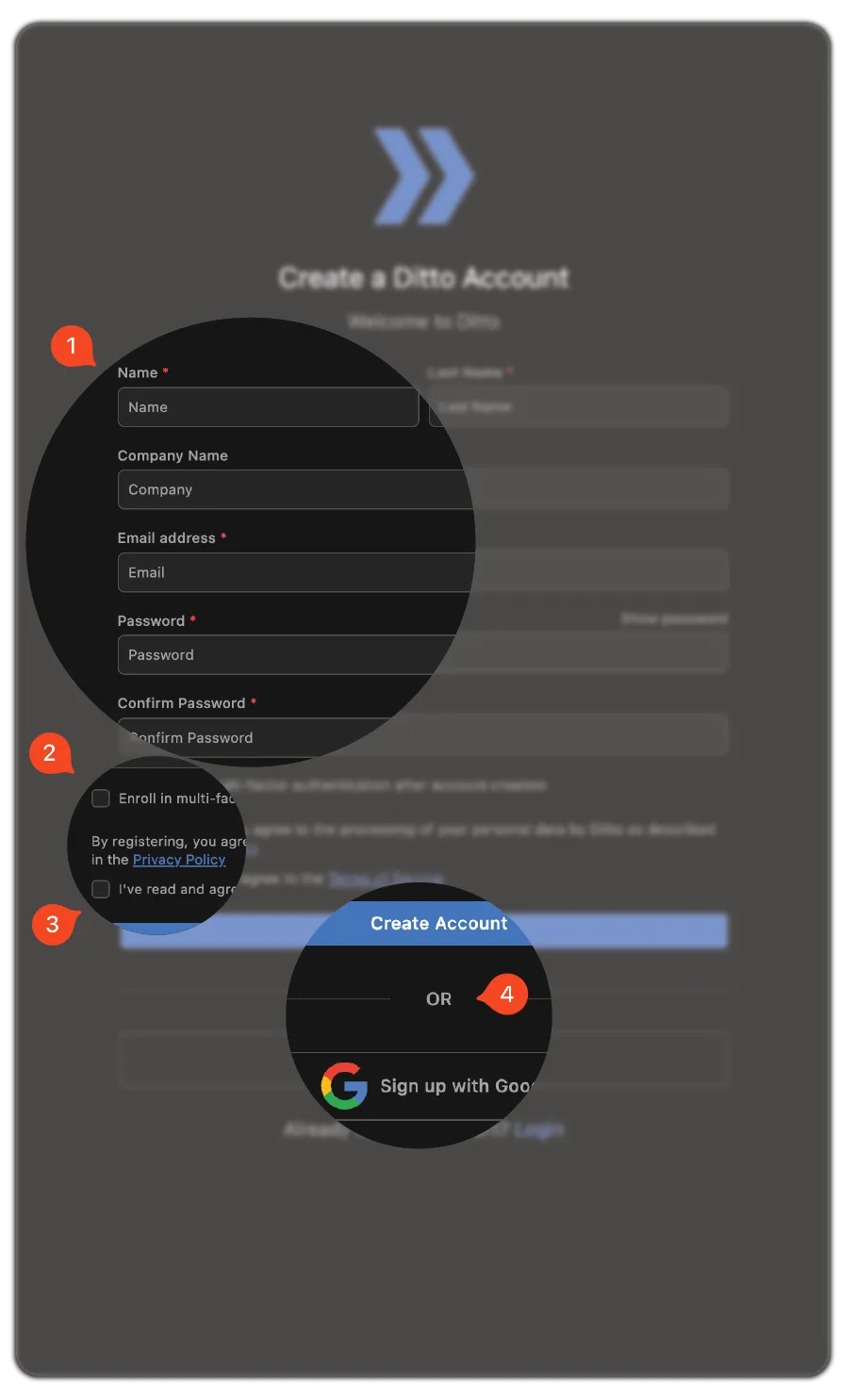
From the portal:
Enter your information and password.
If you want, select Enroll in multi‑factor authentication.
Read and select to agree to the Terms of Service.
Complete signup and log in:
- To sign up using Google Single Sign-On, select Sign up with Google.
- To sign up using the email entered in the previous step, click Create Account.
Creating New App
Once you've created your Ditto account and logged in:
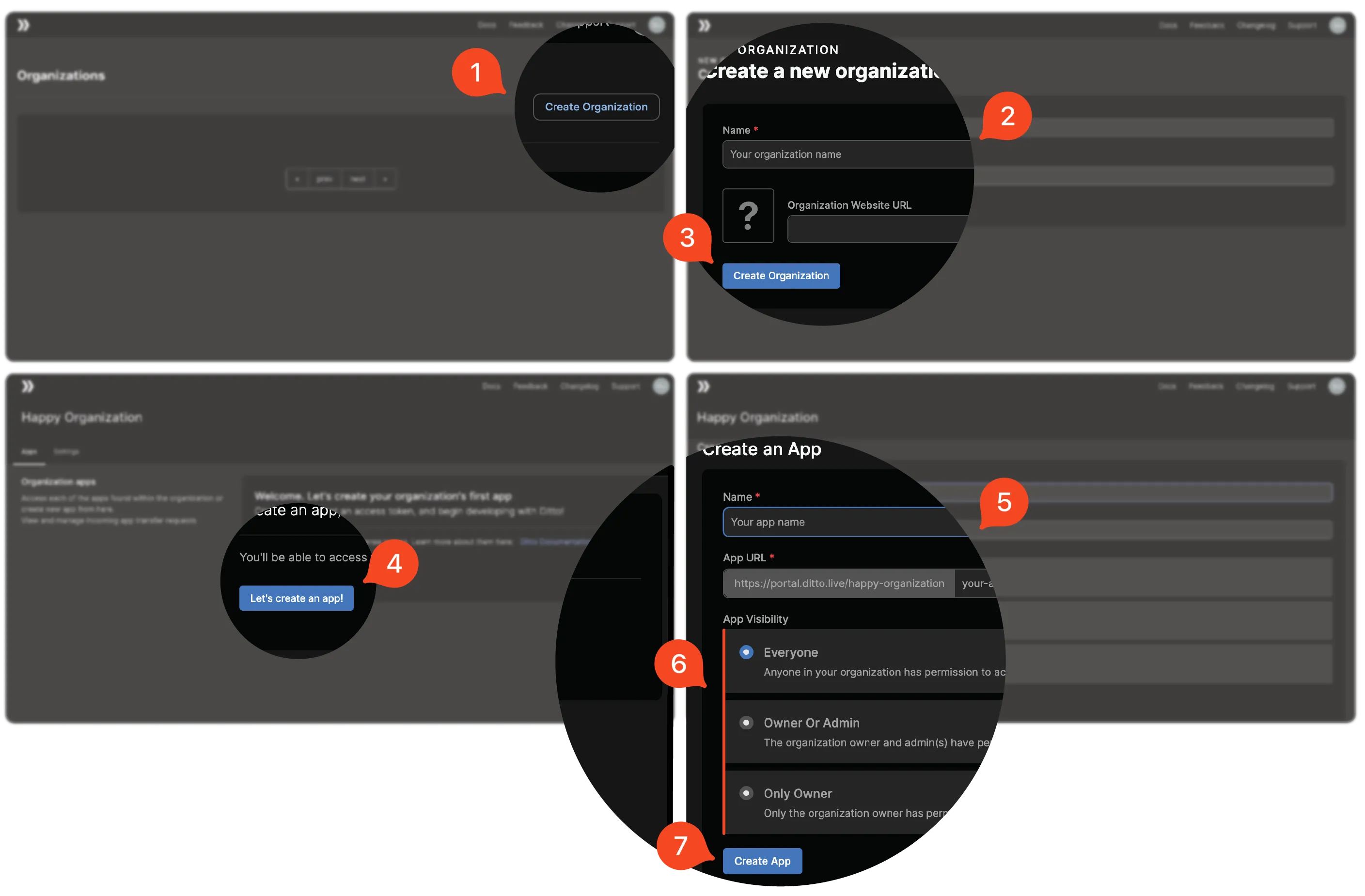
Click Create Organization.
Enter the Name of your organization and, if available, the Organization Website URL.
Click Create Organization.
Click Let's Create an App!.
Enter a Name and a slug for your App URL.
Select your App Visibility preference.
Click Create App.
Getting Credentials
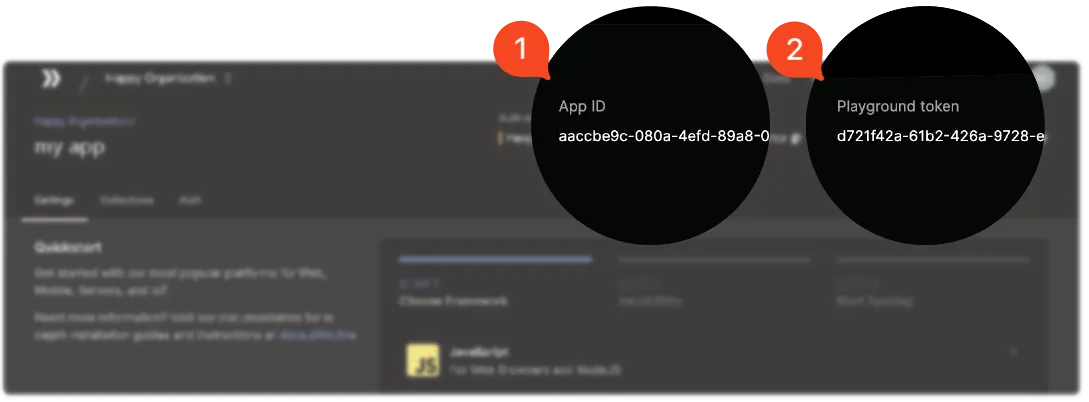
After you've created your app, select it from the list. Your credentials appear in the upper‑right corner:
App ID
Playground token