Swift
You can integrate the Ditto SDK into Swift projects to develop native apps for Apple iOS and macOS platforms.
To install the Ditto SDK and start syncing offline:
Confirm that you meet the minimum requirements. (Prerequisites)
Install the necessary dependencies. (Adding Package Dependencies)
Set up your app permissions. (Configuring Permissions)
Authenticate with the Big Peer and then start syncing offline. (Integrating and Initializing Sync)
Prerequisites
Following are the minimum requirements that must be met before attempting to install Ditto:
- iOS version 14
- macOS version 11
Adding Package Dependencies
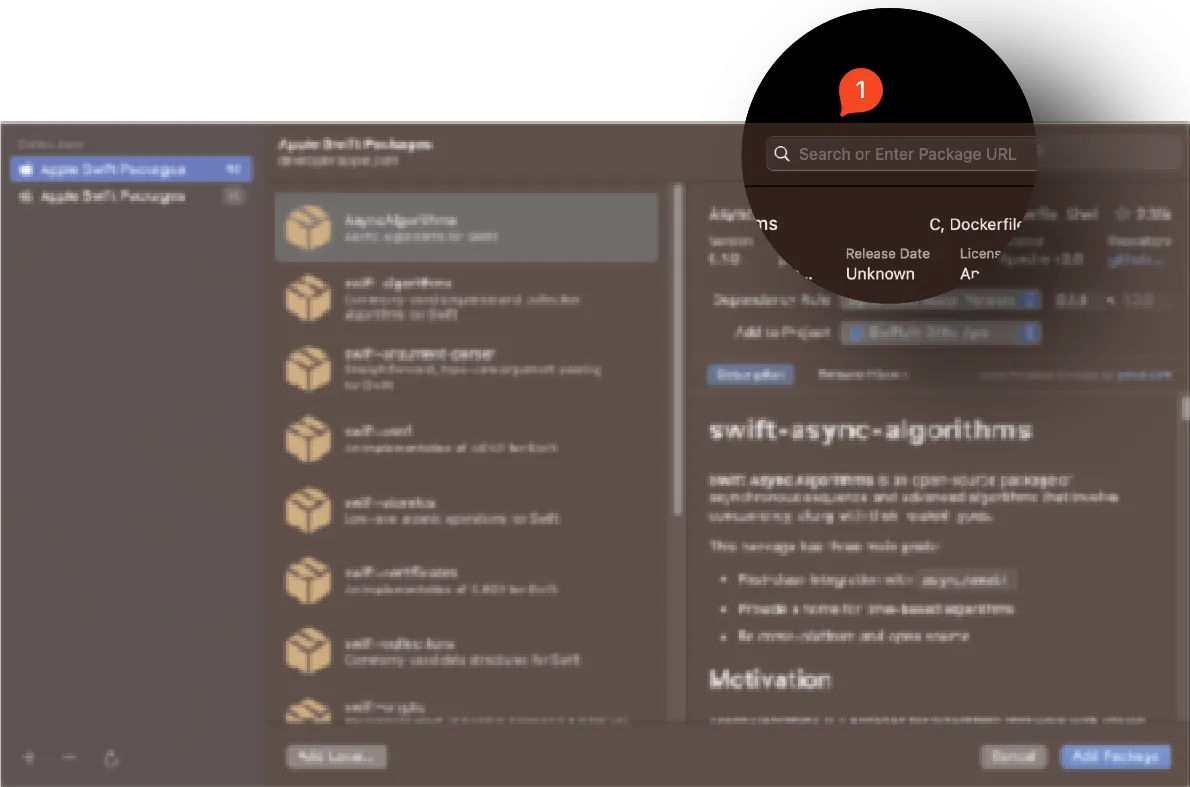
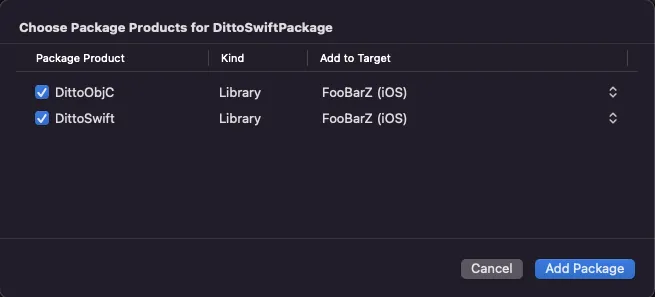
Before installing Ditto using CocoaPods dependency manager, do the following:
Make sure you have CocoaPods version 1.1.0 or later installed. For installation and upgrade instructions, see the official CocoaPods Getting Started Guide.
In your project's Podfile, add the line use_frameworks!to indicate that you want to use dynamic frameworks for the pods you're integrating.
Add the DittoSwift framework with version 4.3.0 by running the following in your project directory:
pod 'DittoSwift', '=4.3.0'Run the following to install the latest version of the dependencies:
pod install --repo-updateConfiguring Permissions
Once you've added dependencies:
From Xcode, add a new Custom iOS Target Properties entry:
- From the left navigator area, click your project.
- In the editor that appears, click Info tab.
- Right-click any row in the list, and then select Add Row from the menu.
For instructions on configuring permissions for your app, see Authentication.
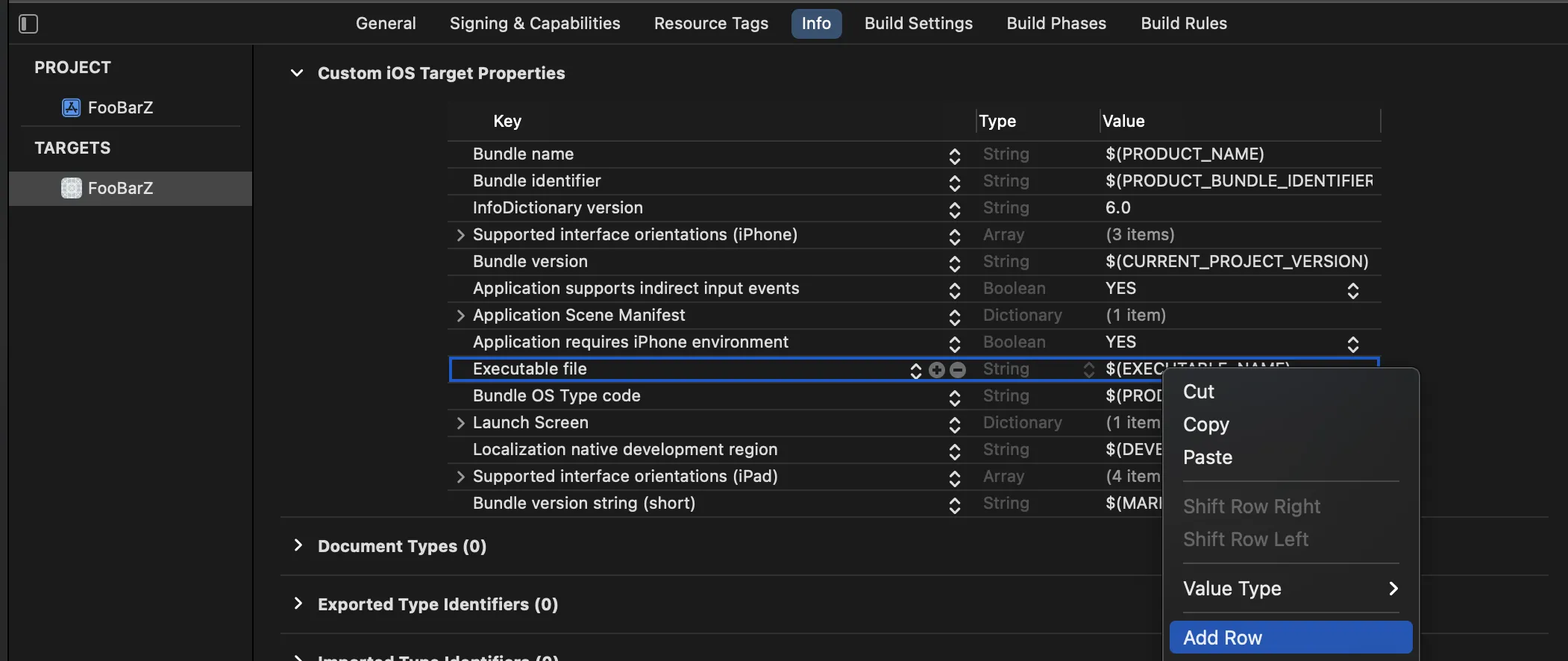
From your project's Info.plistfile, add the following key-value pairs, and then, if applicable, modify each string assigned to Value:
- Once implemented, the following string values display as a prompt to your end users explaining why the app requires certain permissions.
- If your end users prefer a language other than English, replace the string values with their language equivalents.
Setting the Data Protection entitlement to NSFileProtectionComplete may lead to a crash.
To mitigate the crash, set the Data Protection entitlement to NSFileProtectionCompleteUntilFirstUserAuthentication.
Key: NSBluetoothAlwaysUsageDescription
Type: String
Value: Uses Bluetooth to connect and sync with nearby devices

Key: NSBluetoothPeripheralUsageDescription
Type: String
Value: Uses Bluetooth to connect and sync with nearby devices

Key: NSLocalNetworkUsageDescription
Type: String
Value: Uses WiFi to connect and sync with nearby devices

Key: NSBonjourServices
Type: Array
Value:
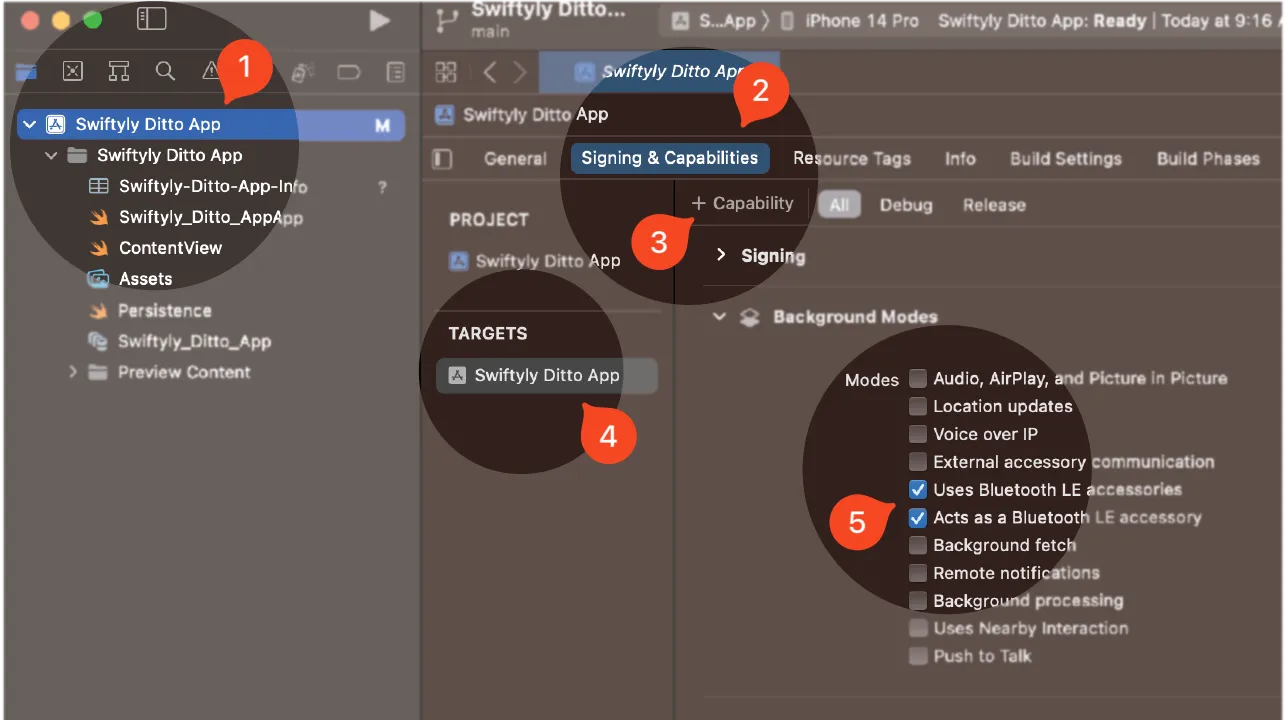
Item0: "_http-alt._tcp." (String)From Xcode, ensure your app continues to sync while it runs in the background, as well as when the end-user device is locked by enabling Bluetooth Background Modes:
- From the left navigator area, click your project.
- Click Signing & Capabilities.
- Click + Capability and then, from the modal that appears, search and select Background Modes.
- From TARGETS, select your app from the list.
- From Background Modes, click to select the following:
- Uses Bluetooth LE accessories
- Acts as a Bluetooth LE accessory
Integrating and Initializing Sync
Once you've set up your environment, import the Ditto SDK in your codebase and obtain your access credentials.
Unless you have a specialized use case, such as a government app, you must connect to the internet at least once before you can sync offline with other peers.
For more information, see Ditto Basics > Authentication and Initialization.
From the top-most scope of your app's codebase, add the following to set up authentication and start syncing offline.
Replace YOUR_APP_ID and YOUR_PLAYGROUND_TOKEN with your access credentials available from the portal.
For instructions on how to obtain your access credentials, see Get Started. For an introduction to authentication in Ditto, see Ditto Basics > Authentication and Initialization.
let ditto = Ditto(identity: .onlinePlayground(
    appID: "YOUR_APP_ID",
    token: "YOUR_PLAYGROUND_TOKEN"
))

do {
  try ditto.startSync()
} catch (let err) {
  print(err.localizedDescription)
}