Sync Credentials
To get started, go to the Ditto portal:
Create a Ditto account and then log in. (See Setting Up Account)
Set up a new app in the portal. (See Creating New App)
Obtain your sync credentials for peer-to-peer authentication. (See Getting Credentials)
Setting Up Account
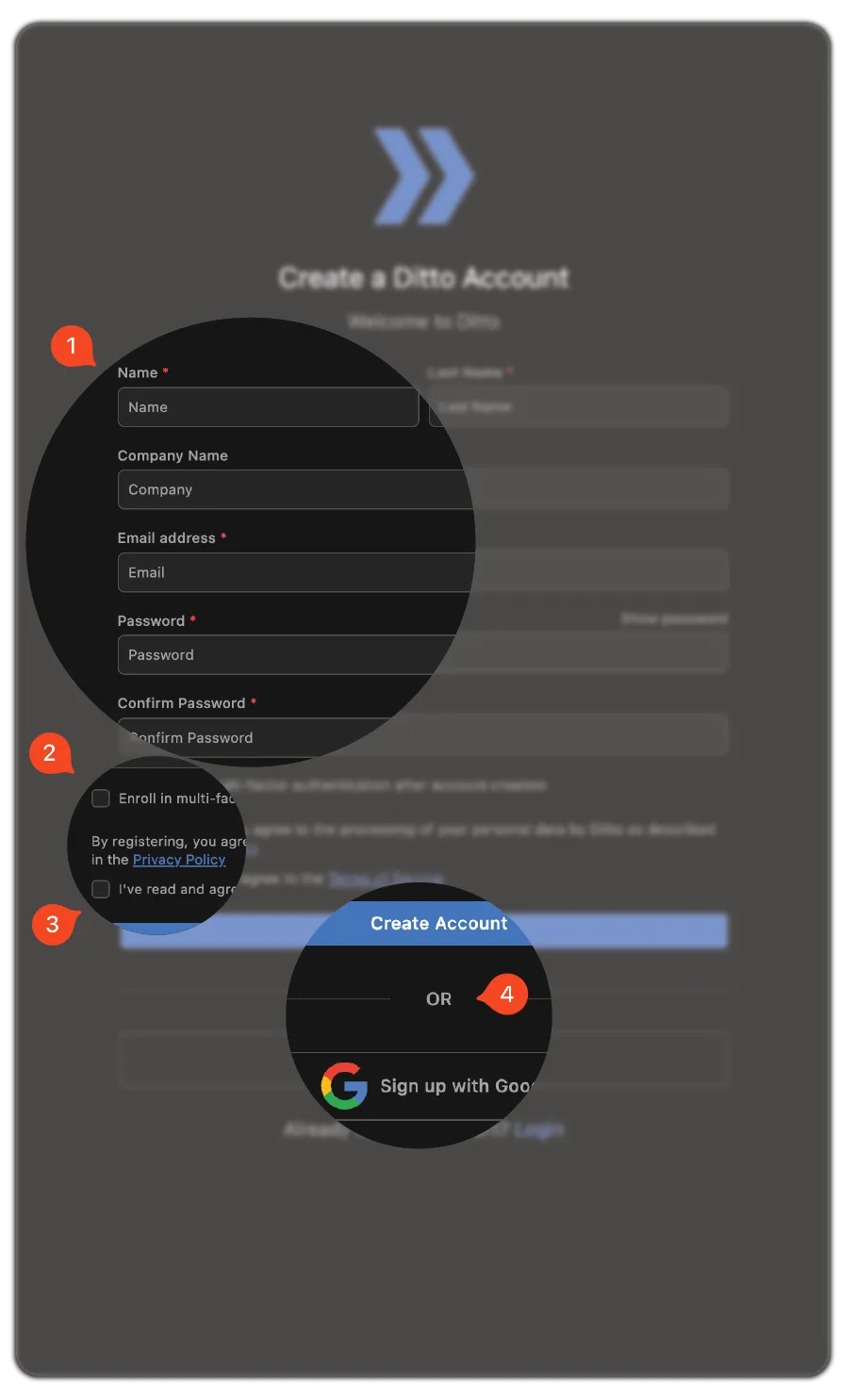
From the portal:
- Enter your information and password.
- If you want, select to Enroll in multi‑factor authentication.
- Complete signup and log in:
- To sign up using Google Single Sign-On, select Sign up with Google.
- To sign up using the email entered in the previous step, click Create Account.
Creating New App
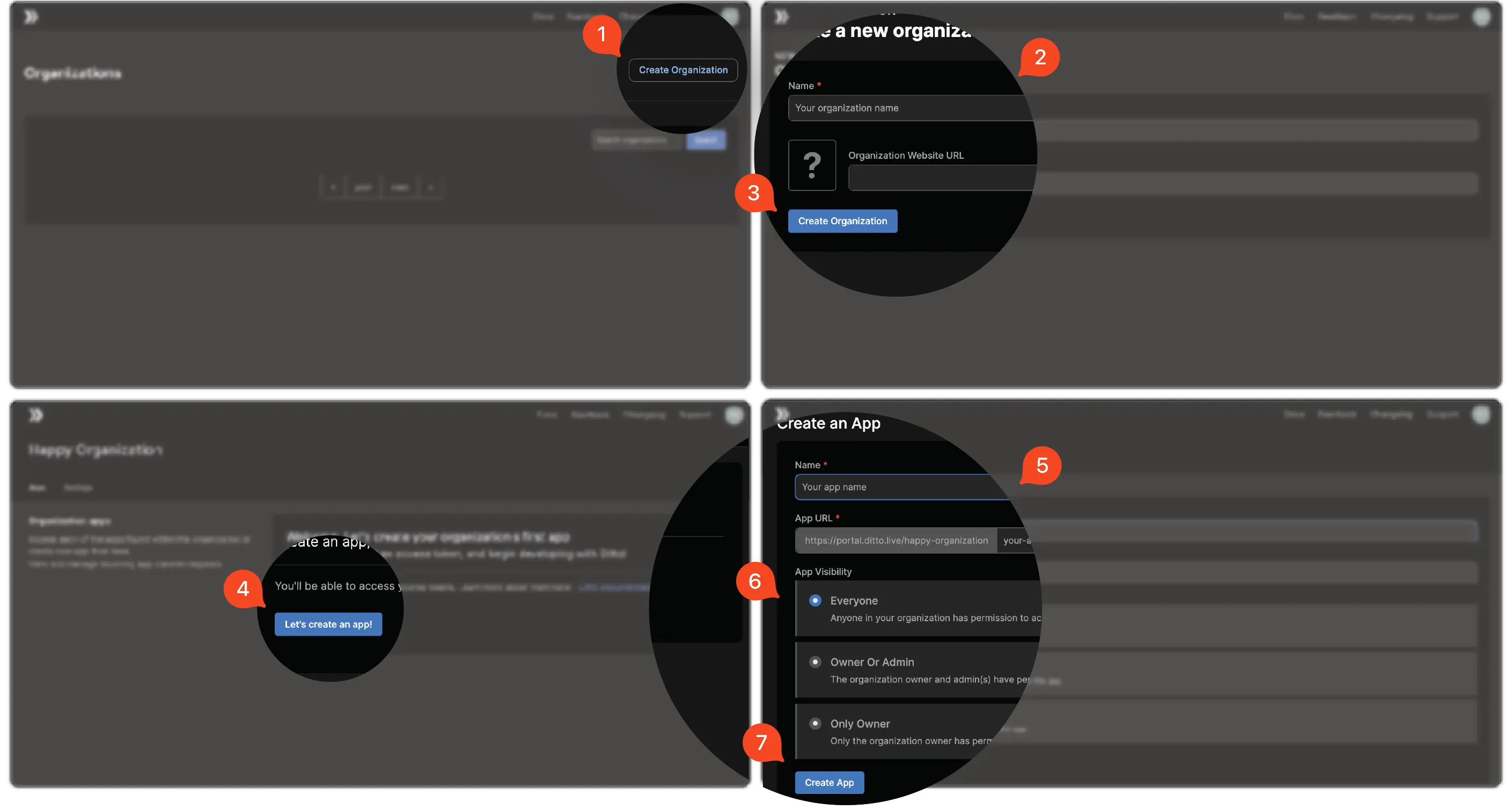
Once you've created your Ditto account and logged in:
- Click Create Organization.
- Enter the Name of your organization and, if available, the Organization Website URL.
- Click Create Organization.
- Click Let's Create an App!.
- Enter a Name and a slug for your App URL.
- Select your App Visibility Preference.
- Click Create App.
Getting Credentials
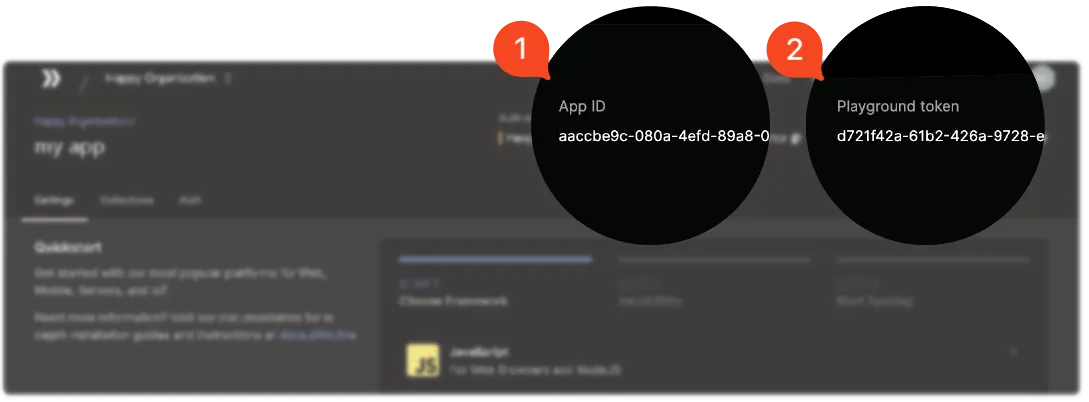
After you've created your app, select it from the list. Your credentials appear in the upper‑right corner:
App ID
Playground token