FAQs
This article provides expert answers to frequently asked questions (FAQs) for the following Ditto topics:
General SDK
Which Identity should I use to initialize Ditto?
Use Online Playground for development and Online With Authentication for production. (See Cloud Authentication)
Can I use Ditto with two separate app IDs in the same mobile app?
Yes. Use a separate persistenceDirectory.
How do Ditto enabled apps sync without internet connectivity?
There are 3 ways for Ditto enabled apps to sync without connectivity:
WiFi Access Point (LAN) WiFi Access Point, also known as LAN, is when devices discover and sync with each other over the same local network. Typically, this means you have a wireless access point where your devices are all connected to. Even if the internet or modem fails, devices will still be able to synchronize. This is completely cross platform
WiFi Direct and Apple Wireless Direct iOS and Android devices are able to create peer to peer WiFi connections with each other. However these are not cross platform. Meaning that, iOS devices are only able to connect to other iOS devices via Apple Wireless Direct. Android devices are able to make P2P WiFi Direct connections with each other.
Bluetooth Low Energy iOS and Android devices are able connect with each other over a standard Bluetooth Low Energy (BLE) connection. Ditto supports both Bluetooth 4.x and 5.x protocols seamlessly. Bluetooth 5 devices are able to communicate with each other over a higher bandwidth (an average of 1.8 Megabits per second). If a Bluetooth 5.x device needs to connect with a Bluetooth 4.x device, the devices will connect over a Bluetooth 4.x protocol.
What are the device and operating system requirements?
Ditto offers a large range of devices and OS support for each of our SDKs. For specific support see the compatibilty map for your given language Directory of Compatibility Maps
How does Ditto still enable offline data?
At the heart of Ditto is a realtime database that takes in JSON-like data structures. That means that even if a device with Ditto is completely disconnected from other devices, it will still have the data stored locally. That means even in a completely offline environment, users will still be able to edit, read, and observe data. When devices reconnect, they will exchange relevant information that was edited when they were offline. You can think of this as a similar behavior to Google Docs or Google Sheets.
Is there backward compatibility when upgrading?
Yes. We follow semantic versioning so only versions where the major version number changes will potentially contain breaking changes that won't be backwards compatible. For example, version 1.2.2 will be compatible with all previous 1.X releases, but may not be compatible with version 2.0.0.
How fast does the SDK follow the iOS version update?
We aim to have a version of the iOS SDKs that is compatible with latest iOS version before the iOS version has been made available to the public. We will likely publish alpha or beta releases of the SDKs during the iOS beta period, if necessary.
Battery
How much does the SDK consume battery?
The SDK is designed to be as power-efficient as possible. We strive to keep CPU and network usage to a minimum.
Does the iOS Low Power Mode affect the performance?
Ditto should not be affected in most circumstances, although background sync on iOS may become less reliable.
Performance
Does having a device in Airplane Mode affect the performance?
Ditto can be used in Airplane Mode. If Bluetooth or WiFi is manually toggled on after selecting Airplane Mode, then Ditto will be able to sync using those modes.
How fast is the sync?
- WiFi: the full speed of your connection, typically 1 gigabyte of data in times as low as 8 seconds.
- WiFi Direct: similar to WiFi speeds
- Bluetooth LE: typically 20 kB/second (however, if you’re using a device that is below Android 10, then Ditto will use BLE GATT which is only 4 kB/second.)
- The Big Peer: 40k transactions per second (25k write txns + 15k reads)
How much data can Ditto hold? How big can a Ditto document be?
There isn't a size limit to a Ditto document or store. Like other databases, Ditto will use as much data as you insert into the device. Controlling the size of Ditto in your app is completely up to your discretion.
Are there any limits to the number of collections?
No there are no limits to the number of collections. While there is no limit, try to keep the names shorter than 30 characters. The collection names are stored with each document. This is merely a suggestion.
How much memory does Ditto consume during high load times?
Your results may vary depending on the size of your documents and the number of them you are querying. Ditto will temporarily store all queried documents in the memory and convert them to a format that your programming language can understand. However, this process can consume a significant amount of memory if your queries are very broad. You can use sort and limit together to capture only the most recent and relevant documents. If you need to deserialize an extensive list of documents, we recommend using the observeWithNextSignal function, as it allows your application to better manage memory usage (learn more at https://docs.ditto.live/ios/quick-tips/avoiding-excessive-memory-consumption).
Bluetooth
What is the difference between Bluetooth Classic and Bluetooth Low Energy?
Bluetooth Classic is an older mode used for accessories like headphones. It requires a manual pairing procedure between devices. Ditto does not use Bluetooth Classic.
Bluetooth Low Energy (BLE) is a more recent mode of Bluetooth that consumes less power and removes the need for user interaction when connecting to another device. Ditto's Bluetooth synchronization employs this mode exclusively.
For a more detailed explanation, please look to our blog post What's the Difference Between Bluetooth Classic and Bluetooth Low Energy?
Does the SDK require Bluetooth pairing?
No. Ditto uses exclusively Bluetooth Low Energy, which does not require pairing.
How does the sync work if devices have different BLE versions?
Ditto will take advantage of features in newer versions of BLE when they are supported by both devices. These features are optional, and Ditto sync will work with even the earliest BLE hardware adapters.
What is the range for Bluetooth connections?
Approximately 100 metres (tested in the open with modern Apple hardware). Newer hardware usually performs better.
Does the sync still work if the smartphone is connected to audio devices via Bluetooth?
Yes, Bluetooth Low Energy sync can operate at the same time as other Bluetooth devices such as headphones.
Database/Sync
Can I sync data with devices that I am not directly connected to in the mesh?
Yes. All participating devices must be subscribing to the same data query.
Can multiple apps share a database?
No. Ditto does not support more than one app using the database at the same time.
Can I explicitly control the start and end of synchronization?
Yes. The Ditto SDK provides startSync() and stopSync() methods that will enable and disable network sync.
Will the app sync in the background?
iOS offers best-effort background sync provided Bluetooth LE is enabled and the Bluetooth central and peripheral background modes are enabled. Android can sync in the background over WiFi.
Does the sync happen even when the device is locked?
See above about background mode.
Is there a limit to the amount of data?
This will depend on the type of data, query complexity and the performance required. As a rule of thumb, a Small Peer such as the mobile SDK is designed to handle up to 2GB of key-value data and tens of thousands of documents in a collection.
Data synced using the file attachments API is stored outside the main database and does not contribute towards the 2GB. Even very large attachments are supported and the limits will depend mostly on the storage and network bandwidth available on your device.
What happens if data is changed by multiple devices at the same time?
The data will be merged when the data from one device reaches the other device.
Is there a transaction feature?
Yes. You can perform multiple updates, across multiple documents in multiple collections, inside a single write transaction. You can do this by using the store.write() functionality.
Connection
Can you track the connection status of all devices in real time?
Ditto provides a Presence Viewer UI on iOS and Android that can be launched within your app to show all active connections to other devices. This information can also be accessed programmatically using the ditto.presence SDK function.
Can I detect a loss of connection?
If a device is disconnected, this will be reflected through the ditto.presence.observe() callback.
Can I specify the connection type?
You can specify which transport types to enable, e.g. Bluetooth only, WiFi only, or everything. Ditto will use its own algorithms to decide which devices to connect to and which modes to use. Ditto always prioritizes the fastest connection that is available, and will optimistically upgrade to a faster connection whenever possible.
How can I show how many peers are connected?
If, separate to Ditto, you know the complete list of devices in your team then you can use the ditto.presence functionality provided by the SDK to keep track of which devices are online. Therefore you'll be able to determine which devices are offline.
If you don't maintain a separate list of devices in your team then the best you can currently do is to keep track of all devices that Ditto sees, again by making use of the ditto.presence API. You can then use this list of all known devices to keep track of which of those are online/offline at any given moment.
How can I profile Ditto-related network traffic and data usage?
Use the Instruments tool that ships with Xcode to monitor both bytes and packets sent and received from a process on a macOS, as well as on a simulated iOS device.
For low-level, yet powerful monitoring, use Wireshark or similar tool to analyze all WiFi and Bluetooth traffic in a given area, and then filter the results by Mac address or similar identifiers.
Since all Ditto traffic is encrypted, you can only monitor packet bytes that are sent and received; individual protocol messages cannot be recovered.
Can I use both connectivity types (Device-Device and Device-Server-Device) at the same time?
Yes.
You can use both direct communication between Small Peers (device-to-device) and communication by way of a server (Big Peer).
that connects and transmits data between Small Peers (device-to-server-to-device).
This dual approach provides flexibility — your app remains efficient in any network environment and you control when and what routes through a central server. However, web browsers do not support peer-to-peer transports. That means a web app will only be able to connect to the Big Peer over WebSockets. (See Customizing Transports Configurations)
It should not affect the performance of the Android and Angular apps. If you see any performance degradation, please let us know as soon as possible.
Security
Is the data in the database encrypted?
Ditto does not encrypt its database, however both iOS and Android offer disk encryption to protect your data in case a device is stolen, provided a screen lock code has been set.
How can I limit the devices the SDK can connect to?
Ditto will only connect to devices that advertise the same "application name". Further controls are under development. Please speak to us for advice if you have special requirements for limiting connections.
Is the communication encrypted?
Communication is encrypted using TLS 1.3 and peer identities are verified using certificates. This is the same state-of-the-art technology used in web browsers. It applies to every communication mode from Bluetooth to WiFi.
How can I control what data can or cannot be synced?
The certificates that you provide to devices contain a set of permissions. You can use these permissions to specify whether or not a given device should be able to access given data.
If you only want a device to sync a subset of the data that it has access to then you do this by only using queries for that device's live queries and subscriptions that relate to the data that you wish to be synced.
Can other apps with the Ditto SDK intercept the communication?
Ditto provides multiple production security modes that robustly protect against eavesdropping. You can either use a shared secret key, or device-specific keys with a central authority.
Ditto also has a development security mode which does not require you to provide a key. This is not secure, and provided for ease of development.
How does the certificate work?
Ditto certificates are standard X.509 certificates. Each device has a keypair and the certificate grants that device a unique ID and rules for which collections and documents it is permitted to read and write. Organizations with strict on-premises requirements may operate their own certificate authority (CA). Certificates can also be generated and distributed automatically from the Ditto Big Peer service. For more information about certificate deployments please speak to us.
Wi-Fi
Can Android and iOS devices sync with each other over WiFi Direct using Ditto?
No. Android Wi-Fi Direct is, at least for now, only capable of syncing with other Android devices. Apple devices running iOS and macOS are capable of syncing over Apple Wireless Direct. These two transports are not compatible with each other. However, other transports like Bluetooth Low Energy and Access Points will be able to sync with each other just fine.
API documentation
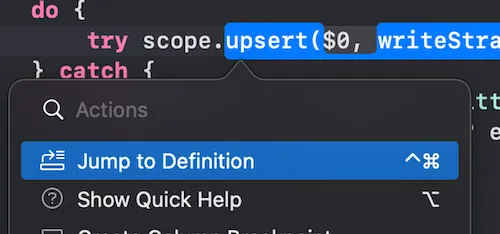
See the API reference on the sidebar to the left. You can also use your IDE's "Jump to definition" feature.