Ditto Basics
Data Structures and Types
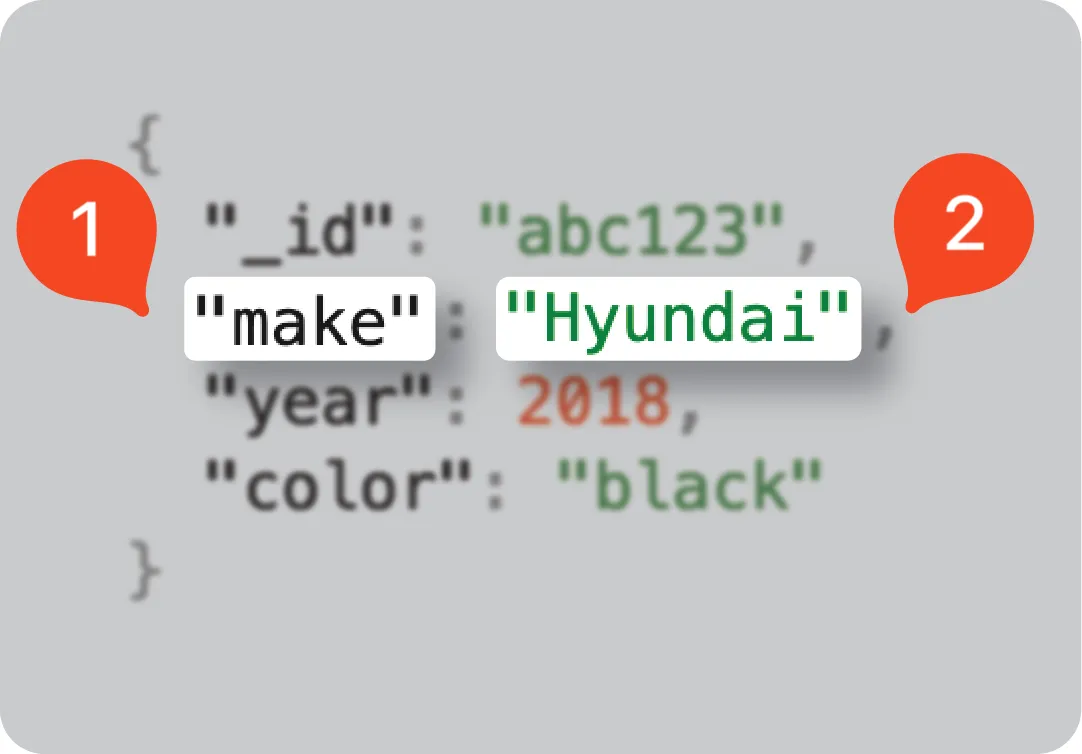
ditto stores data in structured json like document objects each document consists of sets of human‑readable fields that identify and represent the information the document stores documents and collections each document is nested with a hash stable tree structure that self describes the data to be stored and provides the predetermined rules that ensure data consistency and accuracy the following snippet provides an example of a basic json encoded document object ditto document { " id" "abc123", "make" "hyundai", "year" 2018, "color" "black" } fields a single document consists of one or more fields that self‑describe the data it encodes each field is associated with a value field — the name identifying the data (see docid\ dg nwzcc3cmxtqtuuwtwi ) value — the value that holds the actual data to store (see docid\ dg nwzcc3cmxtqtuuwtwi ) document identifiers the first set of fields within each document uniquely identifies the data that its document object encodes when grouped in a collection, this id serves as the primary key identifying the document in the collection assigning id ditto automatically generates and assigns each new document a unique identifier, or id however, if desired, you can pass your own custom id as a parameter when performing an insert operation to create a new document (see docid\ qsoasgyrr0l0dydxy77ca ) in addition to having the option to supply your own id , in complex scenarios where you want to create a more intricate and unique identifier for your documents, you can combine two or more distinct elements to form a composite key for example, the following snippet demonstrates how to create ( insert ) a new document with a composite key formed by the vin , make , and year fields — all of which remain immutable so, once set at initial document creation, their values cannot be changed let result = await ditto store execute( query "insert into cars documents (\ newcar)", arguments \[ newcar \[ " id" "123", "color" "blue"] ]); // "123" print(result mutateddocumentids()\[0])var result = ditto store execute( "insert into cars documents (\ newcar)", mapof("newcar" to mapof(" id" to "123", "color" to "blue"))) // "507f191e810c19729de860ea" println(result mutateddocumentids() first())const newcar = { id "123", color "blue" } const result = await ditto store execute(` insert into cars documents (\ newcar)`, { newcar }); // "123" console log(result mutateddocumentids()\[0])map\<string, string> newcar = new hashmap<>(); newcar put(" id", "123"); newcar put("color", "blue"); dittoqueryresult result = (dittoqueryresult) ditto store execute( "insert into cars documents (\ newcar)", collections singletonmap("newcar", newcar), new continuation<>() { @nonnull @override public coroutinecontext getcontext() { return emptycoroutinecontext instance; } @override public void resumewith(@nonnull object o) { if (o instanceof result failure) { // handle failure } } } ); // "123" system out println(result mutateddocumentids()\[0]);var insertargs = new dictionary\<string, object>(); insertargs add("newcar", new { id = "123", color = "blue" }); var result = await ditto store executeasync( "insert into your collection name documents (\ newcar)", insertargs); // "123" result mutateddocumentids foreach(id => console writeline(id));std map\<std string, std map\<std string, std string>> args; args\["newcar"] = {{" id", "123"},{"color", "blue"}}; auto result = ditto get store() execute( "insert into cars documents (\ newcar)", args) get(); // "123" std cout << result mutated document ids()\[0] to string();use serde serialize; \#\[derive(serialize)] struct args { newcar car, } \#\[derive(serialize)] struct car { id string, color string } // let args = args { newcar car { id "123" to string(), color "blue" to string() }, }; let result = ditto store() execute( "insert into cars documents (\ newcar)", some(args into())); // "123" println!("{}", result mutated document ids()\[0] to string()) for more comprehensive information and how to instructions, see the platform manual > docid\ lbrsippkezdqtgbm4i5nn data formatting as a semi structured database, data formatting in ditto is categorized into two main groups data types — advanced types that guarantee conflict free resolution during merging, which includes the register , map , and attachment data type the default data type is register ; you'll use other data types in specific scenarios where appropriate scalar subtypes — basic primitive types, such as string and boolean , and the json object, which functions as a single value capable of encapsulating multiple key value pairs for more information, see the platform manual > docid\ vofl0gukxq8ajsmmw7sgz lazy loading to improve performance, instead of storing a file that encodes large amounts of binary data within a document, consider storing a reference to it in a separate, explicitly fetched object (token) known as an attachment with the attachment data type, you can implement lazy loading lazy loading is when you delay retrieval until necessary rather than aggressively fetching the data in anticipation of hypothetical future use this "on demand" retrieval pattern enhances performance by optimizing resource usage for a realworld usage scenario, see either the demo chat app for ios or android in the getditto > https //github com/getditto/demoapp chat/tree/main github repository for instance, in the https //github com/getditto/demoapp chat/tree/main/ios , you can see a savvy implementation of attachment with a full resolution avatar image from a collection named user relationship models the following table provides a complete overview of the relationships you can establish in ditto relationship description approaches one to many associates a parent element with children elements to establish a hierarchy embed a json object ( register ) embed a map reference a field to a document reference a document to a collection many to many associates multiple entities in one collection with multiple entities in another collection embed a json object ( register ) embed a map create references between documents in different collections many to one associates two or more collections, where one collection refers to the primary key of another collection to create a meaningful relationship between the datasets embed a json object ( register ) embed a map create references between documents in different collections for more information, see ditto basics > docid\ q789i 8km1rcgxlbjz2u and platform manual > docid\ lbrsippkezdqtgbm4i5nn