Preventing SwiftUI Previews from Syncing
When developing with SwiftUI, you may notice that data from a regular simulator or physical device will sync with a mysterious "other" device. This mysterious device is most likely the SwiftUI Preview Simulator. Simply closing XCode doesn't guarantee that this preview simulator closes. In order to stop this from happening, you'll need to prevent SwiftUI preview simulator from calling startSync.
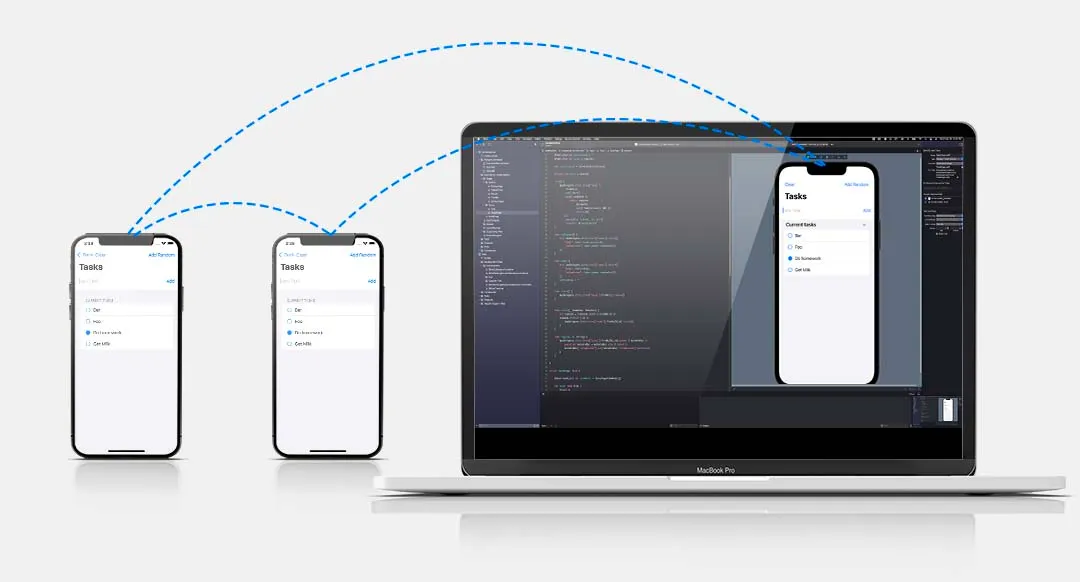
If you want to check that your runtime is running as a SwiftUI preview, you can read the process environment variables like so:
let isPreview: Bool = ProcessInfo.processInfo.environment["XCODE_RUNNING_FOR_PREVIEWS"] == "1"To prevent your Ditto instance in the preview from syncing, ensure to wrap startSync() in an if clause like so:
Although a Ditto instance that has not previously invoked startSync is unable to connect or replicate to discoverable devices, it can perform local datastore operations: upsert (insert), find, observe, update, and remove.
let isPreview: Bool = ProcessInfo.processInfo.environment["XCODE_RUNNING_FOR_PREVIEWS"] == "1"

if !isPreview {
  // non preview simulators and real devices can sync
  try ditto.startSync()
}